
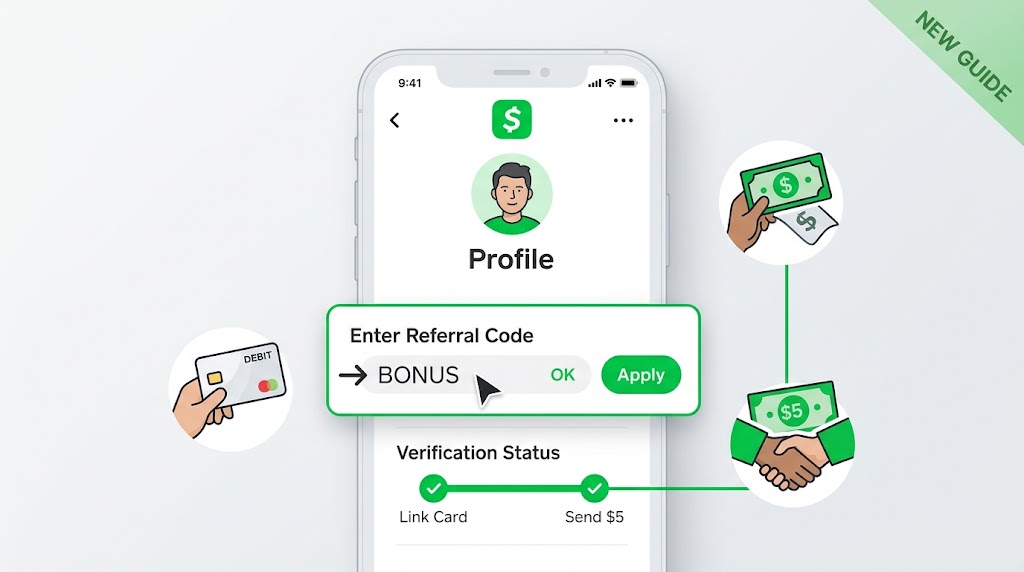
Got a promo code or a friend’s referral code, but can’t figure out how to enter code in Cash App? You’re definitely not alone. Cash App updates its navigation frequently, which leaves a lot of older online guides completely outdated.
Well, if you want to claim your sign-up bonus, you have to act fast—you only get 14 days from when you open your account to redeem it.
Here is the exact, updated process to enter your code or activate a referral link in the latest version of the app.
How to Enter Code in Cash App (Step-by-Step)
If you have an alphanumeric code (like a promo code or referral code), follow these quick steps on your iPhone or Android device:
- Open Cash App on your phone.
- Tap your Profile icon in the top-right corner of the main home screen.
- Scroll down toward the bottom of the menu.
- Tap Promos & Invites (or Enter Referral Code if your account is brand new).
- Type or paste your code into the box and tap Opt In or Apply.
Once submitted, a quick confirmation banner will appear on screen confirming the code attached to your account.
What to Do If You Tapped a Cash App Referral Link
In recent app updates, Cash App often bypasses manual typing altogether if you clicked an invite link. If a friend sent you a direct link via text or email:
- Tap the referral link on your phone before or immediately after installing Cash App.
- Cash App will automatically launch and bind the code to your profile behind the scenes.
- Head to your Profile > Promos & Invites to confirm the referral bonus terms are active.
How to Unlock Your Referral Bonus ($5 Goal)
Entering the code is actually only half the battle. Cash App won’t drop free money into your wallet without a couple of quick verification steps.
To unlock your cash bonus, complete these two steps within your first 14 days:
- Link a Debit Card: Tap your profile icon, head to Linked Banks, and add a valid bank debit card (prepaid cards or credit cards won’t qualify).
- Send at Least $5: Send $5 or more to another Cash App user using your newly linked debit card.
In my experience, as soon as that $5 payment clears, Cash App deposits the bonus right into your wallet balance.
Why Can’t I Enter Code in Cash App?
If you scrolled all the way down your profile page and the option is nowhere to be found, don’t panic. There are usually three reasons for this:
1. Your Account is Older Than 14 Days
Cash App strictly enforces its two-week deadline. If your account was created a month ago, the system automatically removes the option, and customer support won’t re-enable it.
2. The Code Applied Automatically
If you signed up by clicking a direct invite link, the code attached itself in the background, which automatically hides the manual code input field.
3. App Updates & Cache Glitches
Sometimes menu options shift around after phone updates. Try force-closing the app, updating to the latest version, or logging out and back in to refresh your interface.
Frequently Asked Questions
Can you enter a referral code on Cash App after creating an account?
Yes! You can enter a code after sign-up, provided your account is less than 14 days old and you haven’t redeemed a code previously.
Why did my Cash App referral bonus fail?
Most failed bonuses happen because the user forgot to link a bank debit card, or sent the $5 using existing Cash App balance or a prepaid card instead of the linked bank card.