
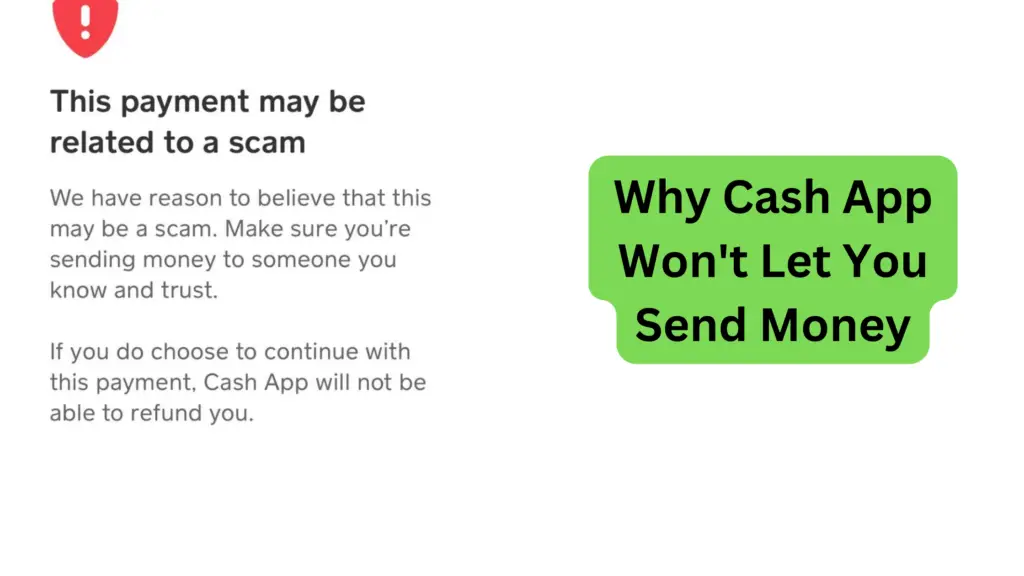
You try to send cash to a friend or merchant, but an instant security popup stops you: “This payment may be related to a scam.” If Cash App won’t let you send money, the platform’s automated security algorithms have flagged the transaction for your protection. Well, actually, this happens even when you’re transferring money to someone you know personally.
Top reasons why Cash App won’t let you send money
Let’s see some of why this can happen to you in the Cash App.
- The recipient to whom you are sending money in the Cash App is not a scammer or a fraudulent person. The cash app monitors all account activity and it determines that the recipient is a bad actor. Hence, it protects you from a scammer trying to get money from you.
- It might be due to a technical glitch. Contact Cash App customer service.
- Your Cash App is out of date. Update the app on your phone. Sounds weird but it works for some users.
- The money sent shows as pending. Call Cash app customer care and ask them to cancel your pending transaction. Then, try again the next day.
- Check the Cash App tag of the receiver or the recipient. Any typo here will prevent you from sending money and will be declined for your protection.
- Check that you have enough money in your account
- The money that you send might be declined by the recipient
- Finally, check that your account is not locked or blocked. Cash App locks an account if they notice sending or receiving from untrusted receipts.
Why Cash App Flags Payments “For Your Protection”
Cash App uses automated fraud monitoring to detect suspicious activity. Your transaction gets blocked when:
- Unfamiliar $Cashtag: You are sending money to a newly created account or a user you’ve never paid before.
- Rapid High-Volume Transfers: Sending multiple transactions back-to-back within a few minutes triggers anti-money laundering limits.
- Unusual Device or IP Address: Logging into your Cash App account on a new phone or using a active VPN connection marks transfers as high-risk.
How to Clear “Declined for Your Protection” Blocks
If your payment gets canceled repeatedly, follow these proven troubleshooting steps:
- Verify Your Account Identity (KYC): Go to Profile > Personal and complete identity verification by uploading your SSN and state ID. Verified accounts experience significantly fewer security flags.
- Add Recipient as a Phone Contact: Save the recipient’s phone number in your device contacts. When Cash App sees a mutual contact link, trust scores increase automatically.
- Turn Off VPNs: Disable active VPN or proxy software before opening Cash App to prevent IP location mismatches.
- Try Smaller Increments: If sending $200 gets declined, split the payment into two $100 transfers spaced a few hours apart.
How to Fix Why Cash App Won’t Let You Send Money
Check the following to fix the send money issue.
- Check that you have enough funds in your Cash App account.
- Check the recipient and make sure he/she is a trusted person.
- If you find that your account has been blocked or locked, call Cash App customer service to find out why.
How to Prevent Future Transaction Blocks
Dealing with a blocked transaction is frustrating, but you can minimize the chances of it happening again by maintaining a healthy, “trusted” account status:
- Verify Your Identity: Ensure your identity verification (KYC) is complete in the app. Cash App is much more likely to flag transactions on unverified accounts as a security measure.
- Avoid High-Frequency, Small Transfers: Moving money in and out of your account rapidly can trigger automated fraud alerts. Try to consolidate your transfers into fewer, larger transactions if possible.
- Keep Your App Updated: Security features are constantly improved in app updates. Running an outdated version of Cash App can sometimes lead to connectivity or verification errors.
- Maintain a Consistent Payment History: Regularly using your Cash App card for everyday, legitimate purchases (like groceries or gas) builds a “reputation” for your account, making it less likely that occasional transfers will be flagged as suspicious.
- Don’t Use Public Wi-Fi for Banking: Whenever possible, send money while connected to your cellular data or a secure, private home network. Public Wi-Fi networks are often flagged by security systems as high-risk environments.
Conclusion
Cash App won’t allow you to send money as a protection measure. What this means is that the receiver is probably been banned or blocked from the Cash App. This is only for your protection and we have learned why this can happen to you.
Make sure you send money only to people you know and trust. Some strange requests in the app might look authentic but they are scammers. I also suggest that you read the ways to keep your Cash App account secure.
Having a transaction blocked can be alarming, but it is usually a sign that Cash App’s security protocols are working as intended to protect your funds. By verifying your identity, using secure networks, and keeping your account activity consistent, you can reduce the likelihood of running into these blocks. Remember, if your account remains restricted after trying these troubleshooting steps, the best course of action is to contact Cash App Support directly through the app. Have you experienced a blocked transfer? Let us know in the comments how you resolved it!