
In the United States, managing personal finances has become a growing challenge. With rising living costs and economic uncertainties, many Americans struggle with spend tracking, often losing sight of where their money goes.
Transparency Note: My Cash Back Reviews is an independent site. I personally test financial management apps and budgeting tools to provide honest, practical guidance. This post contains affiliate links; if you use my links to sign up for services I recommend, I may earn a small commission at no additional cost to you, which helps support this site.
A study by the National Foundation for Credit Counseling revealed that over 60% of U.S. adults do not have a budget, and nearly half live paycheck to paycheck. Furthermore, subscriptions, impulse purchases, and unnoticed fees contribute to financial strain, leaving individuals wondering where their money went.
Fortunately, technology has stepped in to bridge the gap, offering powerful tools to track spending, identify unnecessary expenses, and simplify budgeting.
Whether you’re trying to cut back on subscriptions or save for future goals, these apps are designed to empower you with greater control over your finances. Let’s explore some of the best options to help you take charge of your money.
1. Mint – Simplified Spend Tracking for Better Budgeting
Mint is one of the most popular apps for budgeting and expense tracking. It automatically categorizes transactions from your bank and credit card accounts, giving you a comprehensive overview of where your money is going. Mint also tracks your bills and sends reminders to help you avoid late fees.
Key Features:
- Automatic expense categorization
- Bill tracking and reminders
- Free credit score tracking
- Customizable budget categories
Why It’s Great: Mint’s easy-to-use interface and robust features make it an excellent choice for those just starting to track their spending. It’s a free app that provides all the basic tools you need for financial organization.
| App Name | Description | Link |
|---|---|---|
| Fetch Rewards | Collect cashback by linking accounts like Amazon or scanning receipts. | Visit Fetch Rewards |
| CoinOut | Cashback from receipt uploads or linked accounts such as Amazon. | Read more about CoinOut |
| Lolli | Earn Bitcoin or cash rewards for shopping online at partnered stores. | Visit Lolli |
For more information, visit the full article: Automatic Cashback Apps.
2. You Need A Budget (YNAB) – Best for Goal Setting
YNAB is perfect for individuals who want to take a more proactive approach to budgeting. The app is based on a zero-based budgeting method, which means you assign every dollar a job, whether it’s for bills, savings, or discretionary spending.
Key Features:
- Zero-based budgeting system
- Goal tracking for savings and debt payoff
- Real-time tracking and updates
- Comprehensive financial education resources
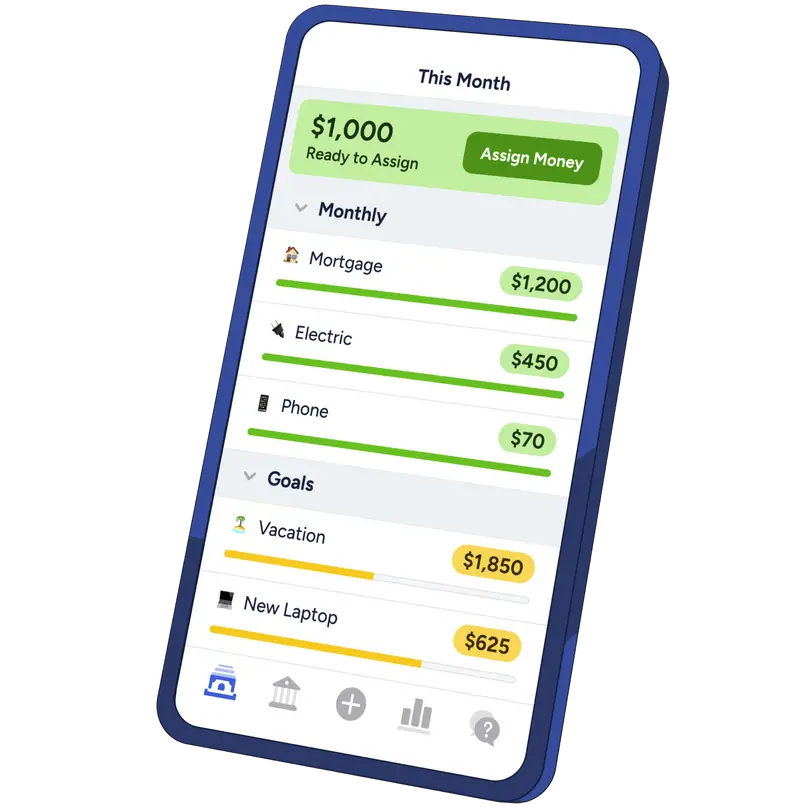
Why It’s Great: YNAB helps users stay disciplined with their finances by focusing on goals and being intentional about every dollar spent. It’s perfect for those who are serious about getting control of their finances. The app offers a free trial, with a paid subscription afterward.
3. Rocket Money (formerly Truebill) – Best for Subscriptions Management
If you’re tired of losing track of all your subscriptions, Rocket Money is the solution. This app automatically detects your subscriptions and helps you cancel the ones you no longer use. It also tracks your spending and provides detailed insights into your financial habits.
Key Features:
- Subscription tracking and cancellation
- Bill negotiation to lower rates
- Spending tracking and budgeting tools
- Customizable alerts for spending habits
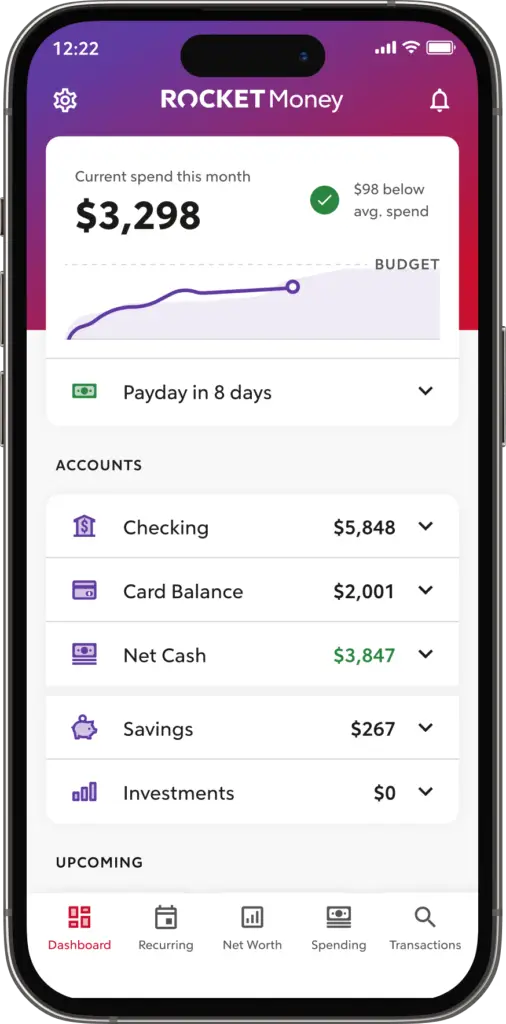
Why It’s Great: Rocket Money is a must-have if you’re looking to streamline your monthly payments and eliminate unnecessary expenses. The ability to cancel unwanted subscriptions directly through the app makes it a game-changer for those who struggle with recurring charges.
4. Cleo: AI-Driven Spend Tracking and Personal Financial Assistance
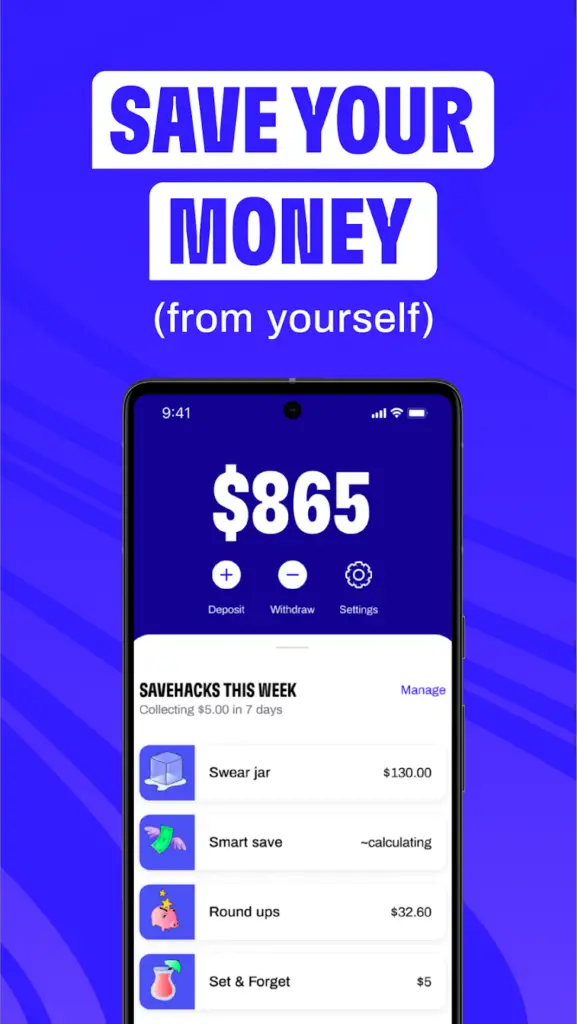
Cleo is an AI-powered assistant that offers personalized financial advice in a fun and engaging way. Through simple chat conversations, Cleo helps users track their spending, set budgets, and even save money automatically by rounding up transactions.
Key Features:
- AI-powered spend tracking and insights
- Automatic savings through rounding up transactions
- Budgeting and financial goal setting
- Cashback at select retailers (for premium users)
Why It’s Great: Cleo is perfect for those who want a more interactive and personalized approach to managing their money. It also uses humor to make finance less intimidating and fun to use, especially for younger users.
5. Simplifi by Quicken – Best for Detailed Spending Reports
Simplifi is designed to give users a clear picture of their financial health with detailed spending reports and personalized recommendations. It automatically syncs with your bank accounts, tracks your spending, and provides insights into how you can cut costs.
Key Features:
- Automatic syncing with financial accounts
- Customizable spending categories
- Real-time updates on your financial transactions
- Savings goal tracking
Why It’s Great: Simplifi offers a comprehensive view of your finances, helping you stay on top of your spending and savings goals. The app’s intuitive interface and real-time updates make it easy to manage your money effectively.
6. Acorns – Best for Round-Up Investments
Acorns is a unique app that helps you save by investing your spare change. It rounds up your purchases to the nearest dollar and automatically invests the difference in a portfolio of low-cost ETFs (Exchange-Traded Funds).
Key Features:
- Round-up savings and investing
- Automatic investment portfolios
- Personalized investment strategies
- Educational resources on investing
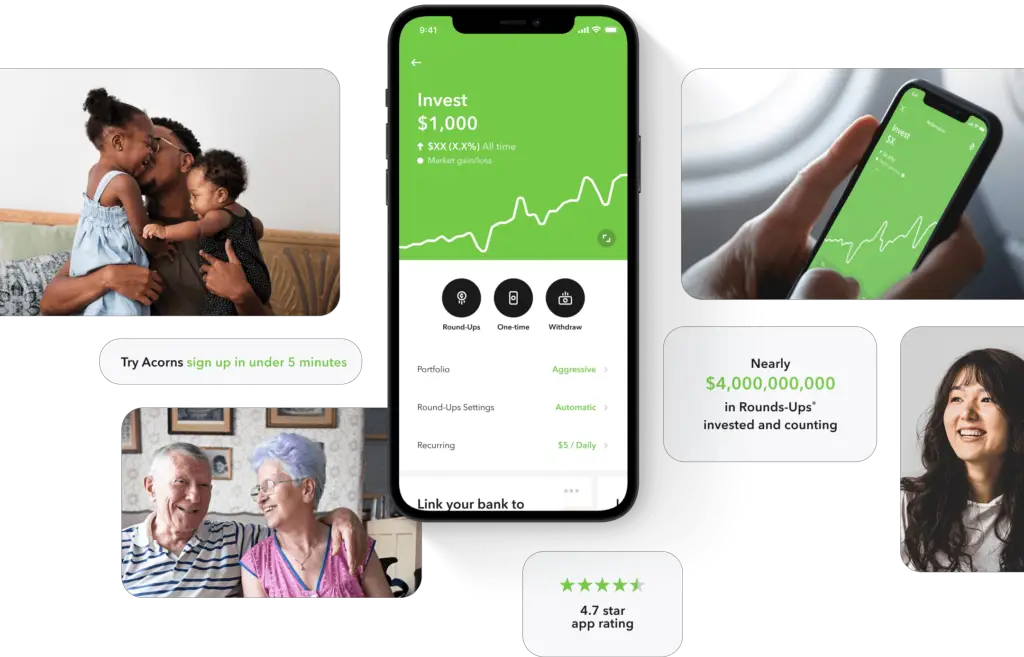
Why It’s Great: Acorns is perfect for individuals who want to start investing without a large upfront investment. It makes it easy to invest spare change while still focusing on savings goals.
My Personal Take on Spending Trackers
I’ve tried just about every spending tracker on the market, and the biggest lesson I’ve learned is that the “best” app is the one you actually open. My “Pro-Tip”: Don’t spend hours trying to categorize every single penny. I’ve found that the most successful users focus on “The Big Three”—Housing, Food, and Transportation. If you nail those categories, the minor daily fluctuations matter far less. I use automated sync to get the data into the app so I don’t have to manually input entries, which is the only way I’ve managed to stay consistent for years.
Expert Strategy: The “Zero-Based” Audit
The most effective way to use a tracking app isn’t just to look at where your money went—it’s to decide where it goes before the month even begins. The Expert Strategy is the Zero-Based Audit: at the start of each month, assign every dollar of your expected income to a specific category (including savings and “fun” money) until you have a remainder of zero. By checking your app daily against this “pre-planned” budget, you aren’t just tracking history; you’re actively managing your spending in real-time. This forces you to acknowledge every purchase as a trade-off against a future goal.
Conclusion: Take Control of Your Finances with Spend Tracking Apps
Tracking and managing your expenses doesn’t have to be overwhelming. With reliable spend tracking tools, you can gain clarity on your financial habits and make smarter money decisions. Whether you’re interested in a straightforward budgeting app, an automatic subscription manager, or a platform that helps you save while investing, there’s a solution tailored to your needs.
Using these tools can help you stay on top of your finances, cut unnecessary expenses, and achieve your savings goals with ease.
Frequently Asked Questions
- Are spending tracking apps actually safe to use? Yes, most reputable financial apps use bank-level encryption (like 256-bit SSL) to secure your data. They typically use “read-only” access, meaning the app can see your transactions but cannot move or withdraw your money.
- Is manual entry better than automatic syncing? It depends on your personality! Automatic syncing is much easier and takes less time, but manual entry can be a powerful psychological tool because it forces you to consciously record every purchase, which often discourages impulse spending.
- How often should I check my budget? The “Expert” standard is to do a quick 2-minute check-in every few days to spot-check your progress, followed by a more detailed 15-minute review at the end of each month to adjust your goals for the upcoming period.
- Do these apps help me save, or just track? They track, but they help you discover the room to save. By identifying “leakage”—like recurring subscriptions you no longer use or excessive dining out—these apps provide the data you need to make the cuts that actually boost your savings.